
A small tribute to someone you remember
Marigold Bridge AI Video Generator
Turn a treasured photo into a gentle 3D animated tribute: a few steps across a glowing bridge of marigold petals, a pause to gather the flowers, and a quiet smile. A personal creation for Día de Muertos, at your own pace.
One adult photo · about 9 seconds · vertical MP4 · 30 or 45 credits per generation
Make your Marigold Bridge AI video
About 9 seconds · up to 10 seconds · vertical 9:16 · one portrait
JPG, PNG or WebP · up to 10 MB · one adult · compressed before upload
Real AI-generated example
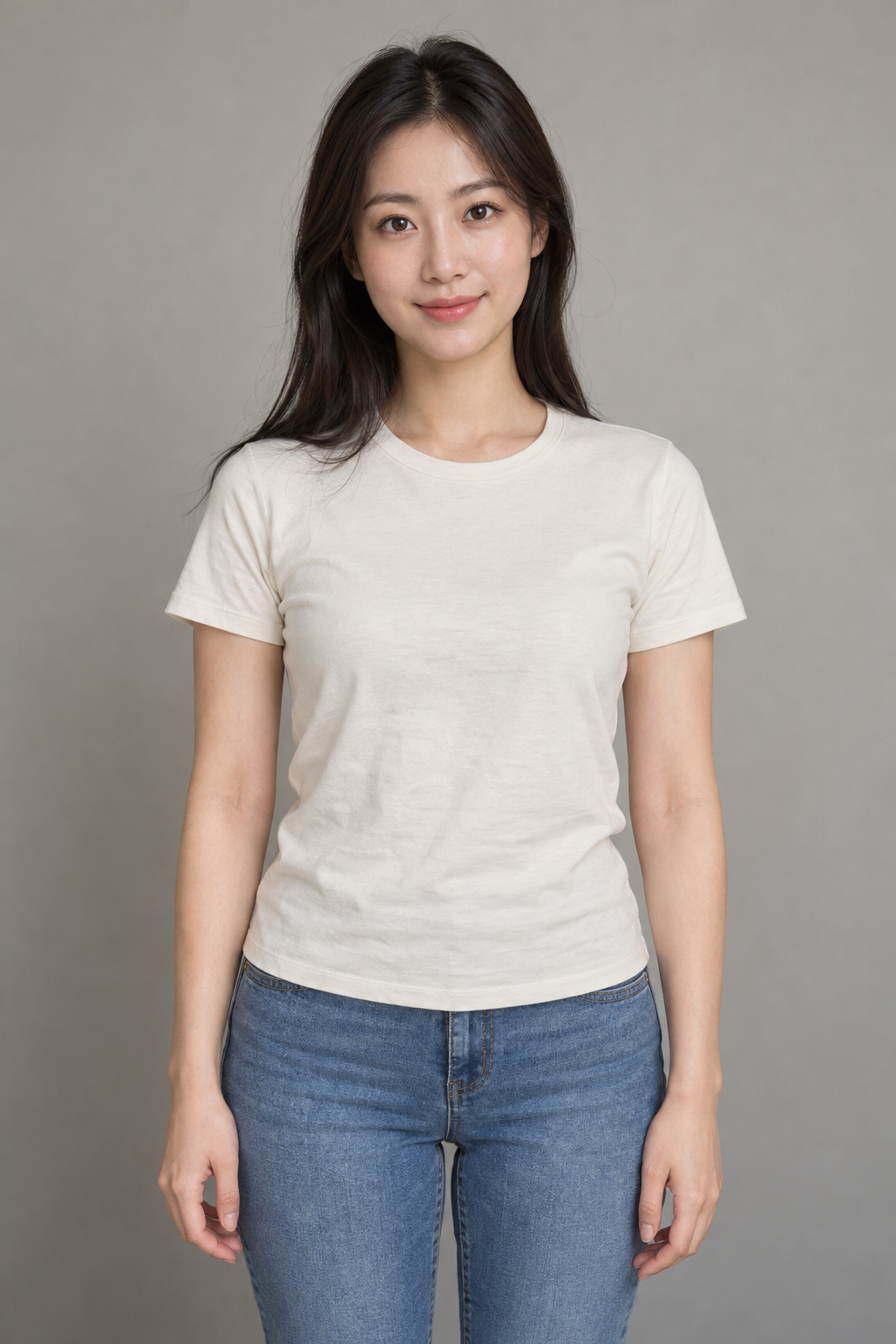
One photo, a glowing flower bridge and a moment of remembrance. The example uses a synthetic portrait; results vary.
What is the Marigold Bridge AI trend?
Marigold Bridge AI, also searched as puente de cempasúchil IA, is a photo-to-video tribute inspired by Día de Muertos. Its central image is a loved one crossing a luminous path of orange flowers. In Mexican remembrance traditions, families use flowers, candles and offerings to welcome those they remember; customs differ between communities and families.
You may see the caption ‘No lo dejen solito’ (‘Don’t leave him alone’), or ‘No la dejen solita’. Use words that feel right for your family. This tool creates an imagined animated scene from a photo, not a recovered memory or a message from the person pictured. It is an independent generator, unaffiliated with CapCut, TikTok, Disney or Pixar.
Cultural background and trend references · checked October 24, 2026: Día de Muertos · UNESCO · Marigold Bridge trend · MakeViral
How to make a Marigold Bridge AI video
Choose a treasured photo
Upload one adult portrait you have permission to use. Choose a clear face and visible clothing, ideally waist up or full body. For a relative who has died, consider the wishes of the family before animating or sharing their photo.
Review the price and generate
Sign in, choose 480p (30 credits) or 768p (45 credits), and confirm permission. The 3D style and flower-bridge sequence are preset. An optional mood note can keep the expression personal.
Watch, download and keep
Review the likeness and motion before sharing. Download the MP4 to keep privately or share with family. Add any caption or licensed platform music afterward, and identify it as AI when posting.
A real Marigold Bridge AI example
This sample was generated once with the same preset used above and the synthetic adult portrait shown here. It demonstrates the actual output; it does not depict a deceased person. Facial likeness, hands, motion and timing can vary; the animation may stay closer to a photograph than a cartoon.
The flower-bridge sequence
A path of warm light
The preset asks for an original 3D animated character based on the photo, with age, hair, glasses and outfit as references. A wide orange petal bridge leads toward distant lights under a blue night sky.
A moment with the flowers
Slow steps lead to a pause and a small handful of petals. The scene aims for calm affection, with no horror elements or skeleton imagery.
A gentle closing smile
The camera moves closer as petals drift upward. This short version ends on the bridge. If you want an ofrenda ending, add the original portrait yourself in a video editor.
Choose a photo with care
| Photo | What to expect |
|---|---|
| One adult, clearly visible | A single subject helps keep the character consistent. This preset is for people, not pets or groups. |
| Waist up or full body | Visible clothing and posture give the walking scene more reference detail. Hidden details will be invented. |
| An older print or scan | Photograph it flat in even light without glare. Very small, damaged or blurry faces may lose likeness. |
| JPG, PNG or WebP, up to 10 MB | Your browser compresses the image before upload. Avoid heavy filters and face obstructions. |
Marigold Bridge AI prompt
The generator supplies this brief automatically. You can also copy it for a reference-to-video tool and attach one portrait as Image 1. It requests an original animated scene and gentle instrumental audio.
3D remembrance scene on a glowing marigold bridge
Create a new warm stylized 3D animated short video. Image 1 is the identity reference for the main adult, not a first frame. Preserve the person's recognizable face, hair, skin tone, build and clothing throughout. A tender remembrance scene inspired by Día de Muertos, rendered entirely as original warm stylized 3D animation. The adult from Image 1 becomes a softly sculpted animated character, preserving their age, facial structure, skin tone, hairstyle, glasses and own clothes. Exactly one main character, no other people. A wide bridge densely covered in glowing orange marigold petals stretches into distant golden lights beneath a deep blue night sky. One continuous gentle camera move. 0-3 seconds: a low three-quarter view shows the character taking a few slow careful steps forward; petals glow softly beneath each shoe. 3-6 seconds: the character pauses and crouches, gathering a small handful of petals in cupped hands; the camera eases upward. 6-9 seconds: a warm medium view of the recognizable face as they look down at the petals with a quiet smile; a few luminous petals float upward. Keep the bridge visible throughout. A calm affectionate tribute, no distress, horror, skeletons, face paint, wings or halos. No movie characters, film locations or existing animation designs. Audio: a newly composed gentle instrumental guitar passage with quiet night breeze and petal rustle, no voices or existing melody. Natural hands and anatomy; no face morphing, text, logos or watermark. Original scene and audio only; no film footage, existing recordings, songs or voice imitation. Required settings override optional notes: same reference adult, the stated setting and action sequence, newly composed instrumental audio, vertical 9:16, 9 seconds, 480P.
Marigold Bridge AI questions
How do I make the puente de cempasúchil IA trend?
Upload one clear adult photo above, sign in, choose quality and confirm photo permission. The tool supplies the flower bridge, 3D style and actions. You do not need CapCut or a separate scene image.
Is Marigold Bridge AI free?
The example and prompt are free to view. Each generation uses 30 credits at 480p or 45 at 768p. Sign-in and sufficient credits are required; the cost is shown before submission. Existing credit packs and plans are available on the pricing page.
Is it exactly 10 seconds?
This version requests 9 seconds, leaving room for provider timing variation within a 10-second target. The downloadable file is a vertical MP4. It ends on the bridge and does not automatically add a portrait on an altar.
Can I use a photo of a relative who has passed away?
Yes, if you have permission to use the photo and the person pictured was an adult. Consider your family's preferences before making or sharing an animation. Do not upload identifiable public figures. The demo uses a synthetic portrait.
Will the face look exactly like the photo?
No exact likeness is guaranteed. The preset uses the face, age, hair and clothes as references for a stylized 3D character. AI can alter facial features and hands; review the real sample before spending credits.
Does it include the TikTok song or Coco footage?
No. It requests newly composed gentle instrumental audio. It uses no movie footage, characters or commercial recording. Add a sound you have permission to use in your posting app if you want a particular song.
What happens if generation fails or my connection drops?
Confirmed failures return the charged credits. A connection timeout may still leave a live render, so the task stays saved and polling resumes without another automatic submission. Return in the same browser and account; keep the task ID for support.
What does ‘No lo dejen solito’ mean?
It means ‘Don't leave him alone’. Posts use it as an affectionate remembrance caption, sometimes about a first Día de Muertos without someone. You can choose a simpler personal message, or keep the video private.