
Stones to Castle AI Video Generator
A stone lands in the grass. You pick it up, a wall rises into a towering castle, and you smile from its window. Upload one photo to create your own short AI interpretation of the Stones to Castle trend.
One adult photo · about 9 seconds · vertical MP4 · sign-in and credits required
Make your Stones to Castle AI video
About 9 seconds · up to 10 seconds · vertical 9:16 · one portrait
JPG, PNG or WebP · up to 10 MB · one adult · compressed before upload
Real AI-generated example
One photo, a stone, a rising castle and a smile from its window.
What is the Stones to Castle AI trend?
Stones to Castle AI visualizes the saying 'build a castle with the stones they throw at you': criticism becomes something you can build with. The recognizable scene moves from scattered stones in a mountain valley to a rising stone castle, ending with the main character calmly looking out from a window. It suits a personal comeback, a fresh start or a milestone caption.
This version generates a new fantasy scene using your portrait as the character reference. It condenses the idea into about 9 seconds and asks the model to keep your face, hair and outfit. You do not need a red suit, a castle photograph or the original reel. The result is an AI interpretation, with variable likeness and choreography, rather than a face replacement in someone else's footage.
Trend references, checked October 23, 2026: Stones to Castle trend overviewCastle-building trend guide
How to make a Stones to Castle AI video
Upload one clear portrait
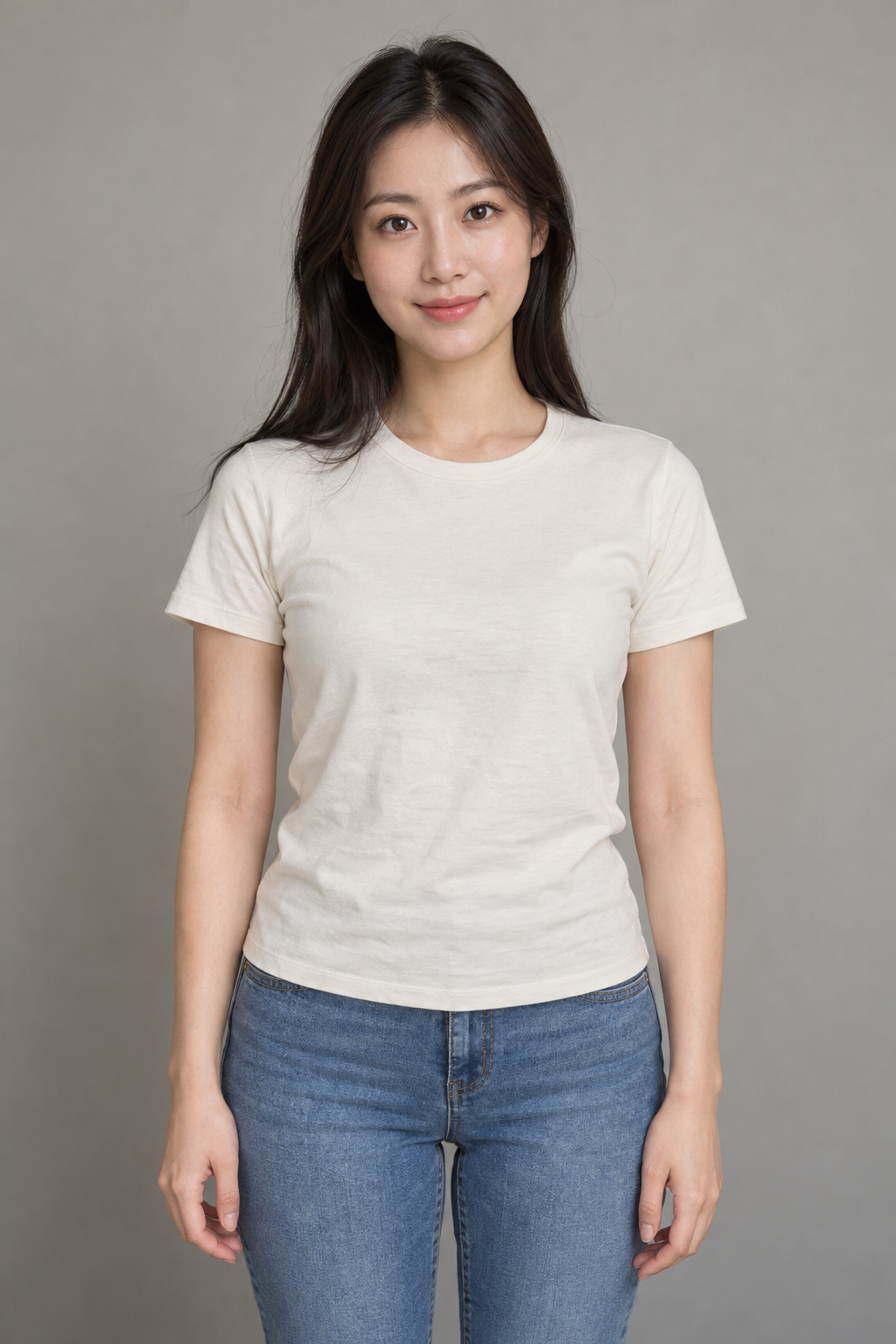
Choose a well-lit waist-up or full-body photo of yourself or a consenting adult. Keep the face large enough to recognize, with hands and clothing visible where possible.
Choose quality and generate
Sign in, select 480p (30 credits) or 768p (45 credits), and confirm photo permission. The stone, rising wall, castle and window ending are preset. A mood note is optional.
Review and download
Check the face and castle transformation, then download the vertical MP4. Add your own caption or licensed social-platform sound when posting.
Stones to Castle AI: a real photo-to-video example
This is an actual output from the page's preset using the AI-generated adult portrait shown below. Watch the transformation before spending credits. One example cannot guarantee the same face, timing or castle in your result.
Three beats in the stones-to-castle effect
Pick up the stone
The character stays calm in a green valley. The preset places tossed stones on empty grass, away from people, before the character picks one up.
Watch the castle rise
One stone joins a low wall. The camera lifts as more stones stack into walls, towers and pointed Gothic spires. This transformation is the center of the effect.
Finish at the window
The scene ends with the same character smiling from an arched castle window. Add a comeback caption afterward so the video can stay free of generated lettering.
Photo tips for your Stones to Castle video
| Photo choice | Why it helps |
|---|---|
| One adult, waist up or full body | Provides a single character and clothing reference for the valley and window scenes. |
| Sharp face in even daylight | Helps the final close-up remain recognizable. A distant face gives the model less detail. |
| Visible hands and a simple pose | Gives better cues for picking up and placing a stone. |
| Your own outfit, without heavy filters | No special costume is needed. Avoid sunglasses, occluded faces and group photos. |
Stones to Castle AI prompt
Copy the exact brief used by this generator. Attach one portrait as Image 1 in a reference-to-video tool: pick up a stone → wall grows into a castle → smile at the window. The generator above supplies this prompt automatically.
Stone, rising Gothic castle and window smile
Create a new photorealistic short video. Image 1 is the identity reference for the main adult, not a first frame. Preserve the person's recognizable face, hair, skin tone, build and clothing throughout. An uplifting cinematic fantasy in a green mountain valley under soft cloudy daylight. The adult from Image 1 is the only foreground protagonist, wearing their own clothes. A small distant group of adults stays out of focus. 0-2 seconds: a few grey stones tossed from the distant group land harmlessly on empty grass well away from the calm protagonist; nobody is struck. The protagonist crouches and picks up one stone. 2-6.5 seconds: they place the stone onto a low stone wall; loose stones magically lift and stack into that same wall, which rises and expands into a magnificent Gothic castle with tall towers and pointed spires. A continuous crane-up reveals the stone-to-wall-to-castle transformation, keeping the stone masonry visible rather than dissolving to another building. 6.5-9 seconds: cut to a medium close-up of the same adult, same face and outfit, smiling calmly from an arched castle window with the completed towers visible behind them. Prioritize the visible rising castle and recognizable final face. No retaliation or injury. Audio: original soft wind, stone-stacking rumbles and a gentle newly composed instrumental swell, no vocals or recognizable melody. Natural hands and anatomy; no face morphing, text, logos or watermark. Original scene and audio only; no film footage, existing recordings, songs or voice imitation. Required settings override optional notes: same reference adult, the stated setting and action sequence, newly composed instrumental audio, vertical 9:16, 9 seconds, 480P.
Stones to Castle AI FAQ
How do I make the Stones to Castle AI trend with my photo?
Upload one clear adult portrait above, sign in, choose the quality, confirm permission and generate. No separate castle image or reference video is needed. The tool supplies the scene and action sequence.
What does 'build a castle with the stones they throw at you' mean?
It is a metaphor for turning criticism or setbacks into progress. The AI trend makes that idea visible through stones becoming a castle. You can add a personal caption after downloading.
Is this a copy of the original reel or a face-swap template?
It creates a new scene around your portrait, not an edit of the original reel. The castle, background and actions can differ each time. It is an independent effect with no affiliation to a reel creator or social platform.
Is Stones to Castle AI free?
Watching the example and copying the prompt is free. Generation requires sign-in and 30 credits for 480p or 45 for 768p. The price appears before submission. Confirmed failed generations return the charged credits; uncertain submissions stay saved for recovery.
How long is this version, and does it include the trend song?
This preset requests about 9 seconds in vertical 9:16, allowing for provider timing variation within a 10-second target ceiling. It requests original wind, stone sounds and instrumental audio. It does not include Unstoppable or another existing recording; add a sound you can use in your posting app.
Do I need a red suit, and can any adult use it?
A red suit is not required. The preset asks the model to retain the adult's face, hair and clothing from the uploaded photo. Choose a sharp waist-up or full-body image. JPG, PNG and WebP up to 10 MB are supported and compressed before upload.
Will the face and castle transformation be exact?
No. AI may change facial details, hands, stone movement or the final window shot. The brief prioritizes a visible rising castle and a recognizable final face. Watch the real example, keep optional notes simple and review your result before sharing.
What happens if I refresh or lose my connection?
The task is saved for your account in this browser. Return to this effect using the same browser and account to resume checking. Recovery does not automatically submit or charge for another video. Keep the task ID if the connection is interrupted.