
Window Peeper Filter
Turn one portrait into the window peeper scene: the camera approaches a lit apartment at night, catches you eating a burger, then meets your deadpan stare before you pull the curtain shut. Upload a photo to make a new AI video in your browser.
One adult photo · about 9 seconds · vertical MP4 · sign-in and credits required
Make your Window Peeper AI video
About 9 seconds · up to 10 seconds · vertical 9:16 · one portrait
JPG, PNG or WebP · up to 10 MB · one adult · compressed before upload
Real AI-generated example
One photo, a night window, a burger, a stare and a curtain close.
What is the window peeper filter?
The window peeper filter is a suspense-comedy video format, also searched as window peeper AI, the burger window meme or the caught-at-the-window trend. The camera seems to watch from outside a dark building. The person eating inside notices it, stares back and ends the encounter by closing the curtain.
A public CapCut template titled Window Peeper is dated October 20, 2026 and lists a vertical 9:16 format. You can use a CapCut template there, or make an independent AI interpretation here from your own photo. This generator creates a new scene; it does not replace a face in the original template or provide the original creator's footage or sound. It is not affiliated with CapCut or TikTok.
Template reference, checked October 23, 2026: Window Peeper on CapCut
How to do the window peeper filter from a photo
Choose one clear adult portrait
Use a well-lit, front-facing head-and-shoulders or waist-up photo. Keep the face unobstructed and use yourself or an adult who agreed to the edit. You do not need a window or burger in the photo.
Select quality and generate
Sign in, select 480p (30 credits) or 768p (45 credits), confirm permission and generate. The night setting, burger, stare and curtain close are already included. A mood note is optional.
Review and download the MP4
Wait for the render, check the likeness and curtain ending, then download. The preset requests original ambient audio. Add a sound you are allowed to use in your posting app if you want music.
Window peeper filter example: portrait to window scene
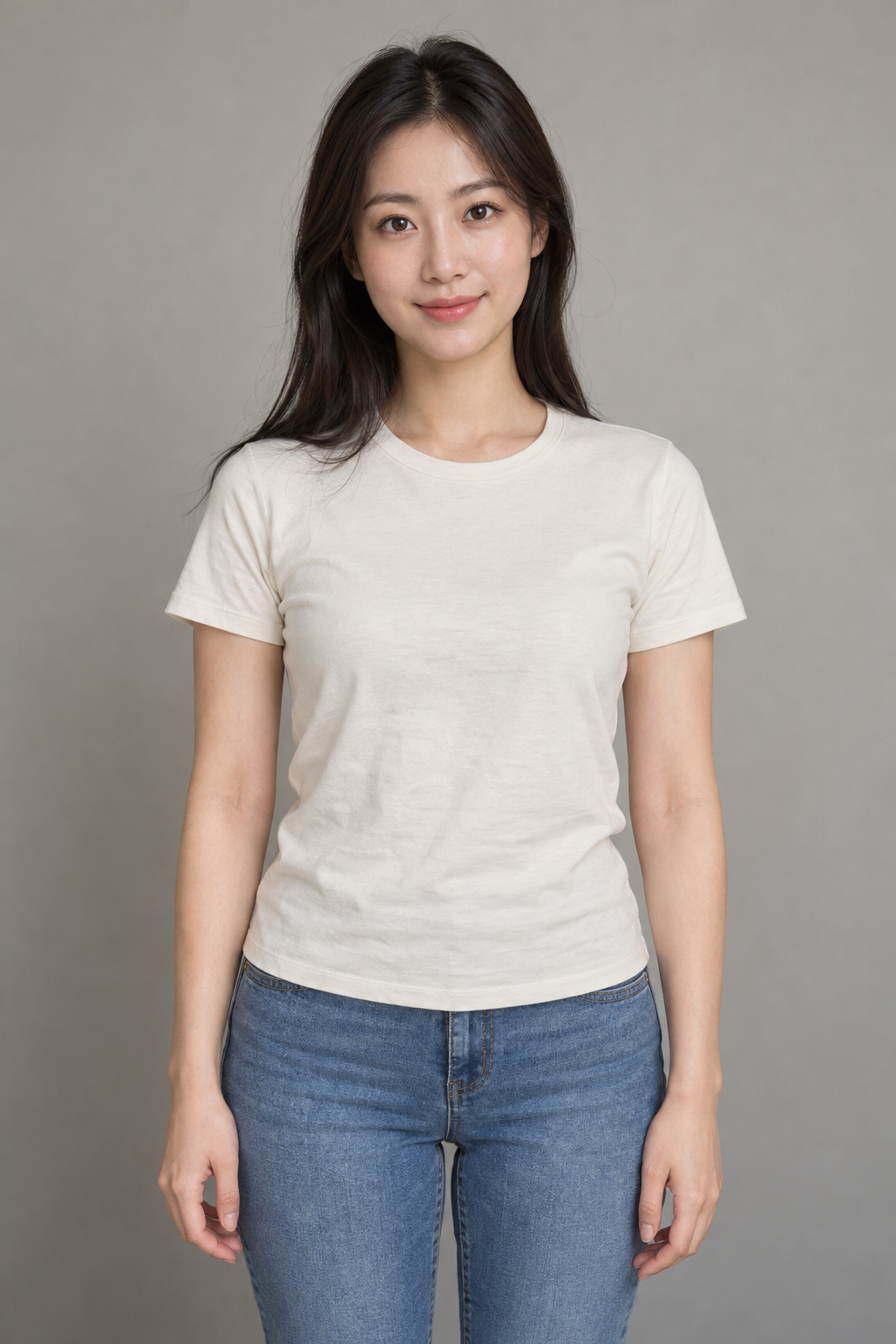
This real output was made with the preset on this page and the AI-generated adult portrait shown below. Watch the complete approach and curtain ending before generating. This is one example; faces, timing and movements vary.
What makes the burger window meme recognizable?
The night-window approach
A slow push toward one warm window in a dark apartment facade makes an ordinary snack feel unusually dramatic. The viewpoint stays outside the glass.
The burger and stare-back
The diner takes a bite, notices the viewer and holds eye contact. An unobstructed face helps the awkward pause read clearly.
The curtain-close ending
The character pulls the curtain across the window. That abrupt loss of the view is the punchline the preset asks the model to finish on.
Photo tips for a clearer window peeper AI result
| Photo choice | Why it helps |
|---|---|
| One adult with a clear face | Gives the model one identity to follow during the window close-up. |
| Front-facing, even light | Makes eyes and facial features easier to recognize in the stare-back beat. |
| Head and shoulders or waist up | Supplies clothing and seated-pose cues without making the face too small. |
| Avoid groups, heavy filters and sunglasses | Reduces ambiguity and hidden facial details. Likeness is still not guaranteed. |
Window peeper filter prompt
Copy the same scene brief used by this generator. In a reference-to-video tool, attach one adult portrait as Image 1. The key order is outside approach → burger bite → stare → closed curtain. The generator above sets it up for you.
Night window, burger, awkward stare and curtain close
Create a new photorealistic short video. Image 1 is the identity reference for the main adult, not a first frame. Preserve the person's recognizable face, hair, skin tone, build and clothing throughout. A staged suspense-comedy scene at night, one continuous shot viewed from outside a fictional apartment building. Exactly one adult, the person in Image 1, sits alone at a small table immediately behind a large open-curtained window, warmly lit from inside, wearing their own outfit. A plain unbranded burger is in their hands. 0-2 seconds: start across the street with the dark building facade and one warmly lit window, then smoothly push in toward that window. 2-4 seconds: arrive at a medium close view through the glass, with the adult's face and burger clearly visible as they take one small bite. 4-6.5 seconds: the adult notices the camera and holds an awkward deadpan stare straight into the lens while chewing, burger lowered so the face stays visible. 6.5-9 seconds: the adult reaches for the curtain and pulls it completely across the window; finish on the closed curtain. Keep the camera outside for the entire shot, never cross the glass. Preserve the night approach, burger bite, stare-back and curtain closure in that order. The curtain must visibly cover the window at the end. Audio: original quiet city-night ambience, a faint room hum and soft curtain rustle; no music or dialogue. This is an invented staged scene, not surveillance footage. Natural hands and anatomy; no face morphing, text, logos or watermark. Original scene and audio only; no film footage, existing recordings, songs or voice imitation. Required settings override optional notes: same reference adult, the stated setting and action sequence, original ambient audio without music or dialogue, vertical 9:16, 9 seconds, 480P.
Window Peeper Filter FAQ
How do I get the window peeper filter?
Upload a clear adult portrait in the generator above, sign in, choose the quality and confirm photo permission. The preset builds the window scene automatically. You can also follow the public CapCut source link to explore that template separately.
Is this the CapCut or TikTok window peeper filter?
This is an independent browser-based AI generator inspired by the same scene format. It does not open a CapCut template, edit its footage or act as a TikTok camera effect. You can upload the finished MP4 to a platform of your choice.
Do I need a photo of a window or a burger?
No. Use one clear photo of yourself or a consenting adult. The AI adds the apartment window, table, burger and curtain. Photos of groups or faces hidden behind objects are less suitable.
Is the window peeper filter free?
You can watch the example and copy the prompt without generating. Making a video requires sign-in and 30 credits at 480p or 45 credits at 768p. The price is shown before submission. Confirmed failed generations return the charged credits; uncertain submissions are kept for status recovery.
How long is the video and does it include the trend sound?
This version requests about 9 seconds in vertical 9:16, with a target ceiling of 10 seconds allowing for provider timing variation. It uses original city-night ambience and curtain sounds, not the original trend recording. Music can be added separately where you have permission.
Will my face and the curtain movement match exactly?
No exact likeness or choreography is guaranteed. AI can alter facial details, hands, the glass or the curtain action. Use a sharp front-facing portrait, keep optional notes simple and review the real example and your result before sharing.
Which image files can I upload?
Use JPG, PNG or WebP up to 10 MB. The browser compresses the image before upload. The supported flow is for one adult portrait, not multiple people or a pet-specific scene.
Can I recover the video if I refresh the page?
Yes. Return to this effect in the same browser and signed-in account to resume the saved task. Checking or resuming that task does not start a new generation. Keep the task ID if a submission or status check is interrupted.